


Quick answer: Suarify voice agents don’t only “talk.” During a live call they can call tools (function calling) — hang up cleanly with avr_hangup, capture a yes/no qualification with avr_save_yes_no_lead, send a WhatsApp follow-up with avr_whatsapp_send_message, book slots, press IVR digits, and more. That is how a conversation becomes CRM data, a WhatsApp summary, and a closed call — without a human typing notes.
This post is for founders and builders who want agents that do work mid-call, not only chat.
Table of contents
- Why function calling matters on a phone call
- Core tools you’ll use
- Lead qualify flow: save yes/no → WhatsApp → hangup
- How to prompt the agent
- Reading captured yes/no leads
- FAQ
1. Why function calling matters on a phone call
Without tools, an AI call is a fancy transcript. With tools, the agent can:
- Persist outcomes (
yes/nointerest) - Message the customer on WhatsApp after (or during) the voice path
- End the call politely when the job is done
- Book appointments and navigate IVRs

Related builds: DIY outbound · Malaysianize voices
2. Core tools you’ll use
Suarify’s agent UI exposes AVR-style tools (names you’ll see in prompts / tool schemas), including:
| Tool | What it does |
|---|---|
avr_save_yes_no_lead |
Saves whether the contact answered yes or no to a qualification question (lead interest capture) |
avr_hangup |
Ends the call when the conversation is complete |
avr_whatsapp_send_message |
Sends WhatsApp text (and optional image) via an active WhatsApp connection — e.g. conversation summary |
avr_do_booking |
Create / confirm a booking for the contact |
avr_dial_avr |
Press keypad digits / interact with an IVR menu / transfer-style dial actions |
avr_currenttime |
Look up current date/time during the call (scheduling logic) |
You enable the tools the agent may use, then teach the prompt when to call them.
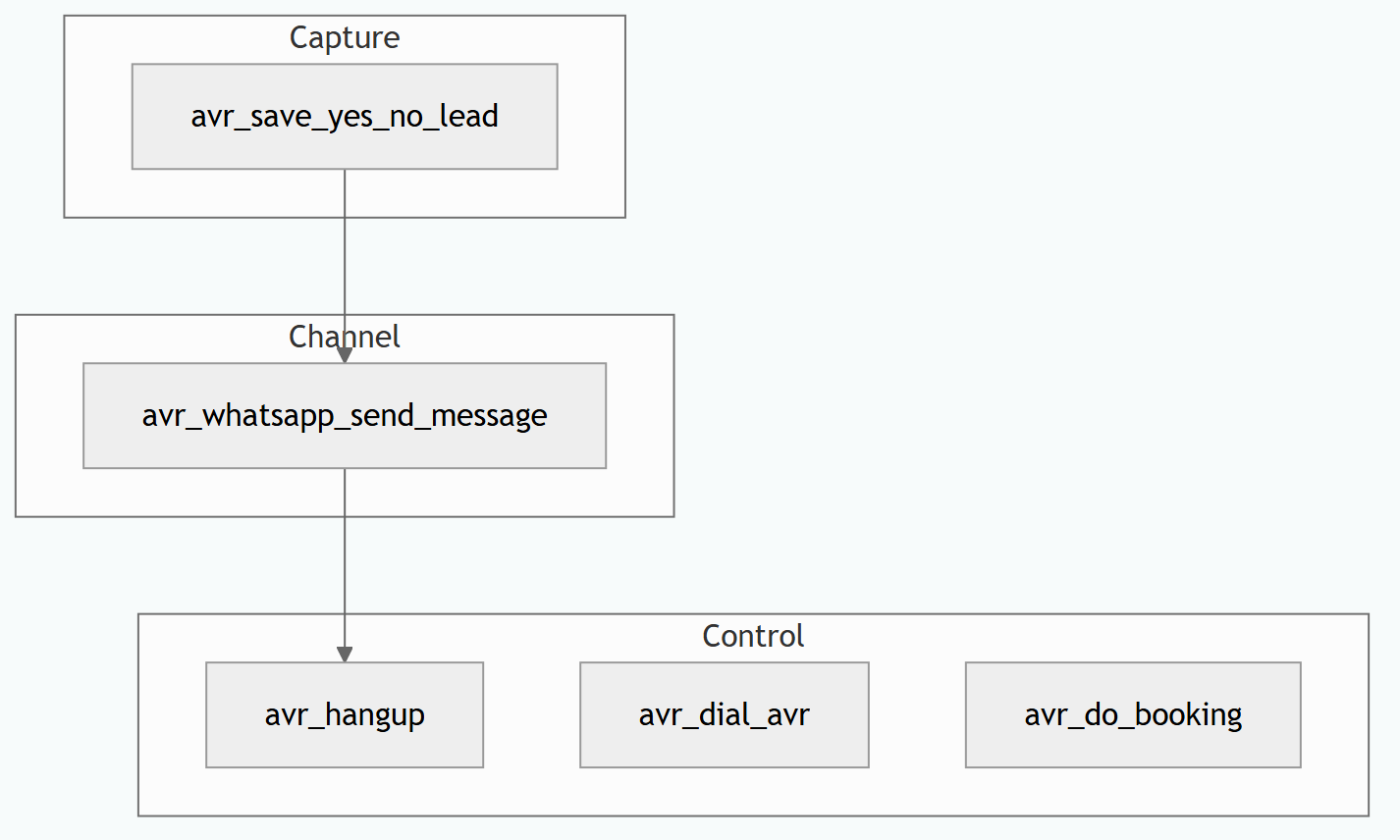
3. Lead qualify flow: save yes/no → WhatsApp → hangup
A common Malaysian outbound pattern:
- Agent asks a clear qualify question (“Are you interested in a short demo this week?”)
- On a clear answer →
avr_save_yes_no_lead(persist yes/no) - Optionally →
avr_whatsapp_send_messagewith a short summary + next step - When done →
avr_hangupso minutes don’t burn on silence
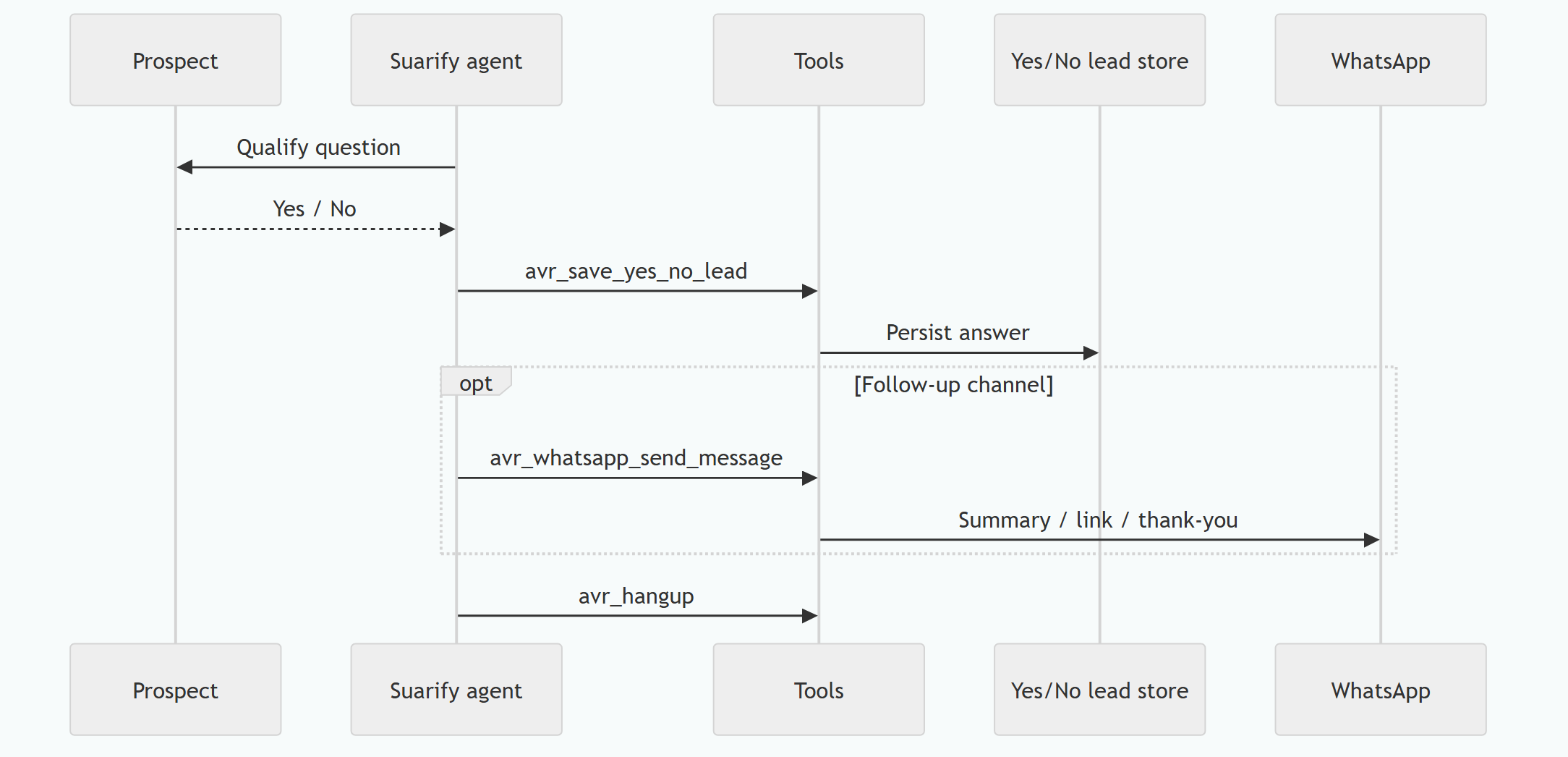
WhatsApp tip: prompt the agent to call avr_whatsapp_send_message with:
tophone— recipient numbertext— conversation summary / next stepimageurl— optional (e.g. brand logo)- using your active WhatsApp connection in Suarify
4. How to prompt the agent
Function calling only works if the prompt is explicit. Example rules you can paste into an outbound qualify agent:
When the prospect clearly answers YES or NO to the main interest question,
call avr_save_yes_no_lead immediately (do not only say “noted”).

If they say YES, optionally call avr_whatsapp_send_message with a short summary
and the booking / demo next step.

When the conversation is complete, or the prospect says goodbye,
call avr_hangup. Do not leave the line open.
Pair with flowchart design in the Suarify UI so non-developers see the same branch: Ask → Capture → WhatsApp → Hangup.
5. Reading captured yes/no leads
Answers from avr_save_yes_no_lead are queryable (developer portal / API) as yes/no lead responses — useful for:
- Filtering “keen” leads for human callbacks
- Dashboards of yes-rate by campaign
- Joining with outbound call logs (picked up / not picked up / declined)
See also API-oriented reading: API integration guide on the blog when relevant to your workspace.
FAQ
Is avr_hangup required?
If you don’t hang up, you risk dead air and wasted minutes. Teach the agent to hang up after the goal is met.
What’s the difference between saving a lead and creating a CRM contact?
avr_save_yes_no_lead captures a structured yes/no qualification outcome tied to the call. Full CRM sync can still use APIs/webhooks for richer fields.
Can WhatsApp replace the call?
No — use voice to qualify, WhatsApp to leave a written trail. Together they convert better than either alone.
Can I add custom tools?
Yes via vendor tools / schemas and your own HTTP handlers for bookings, inventory, tickets — same function-calling pattern.
Build further: AI receptionist hybrid · VoIP vs SIM · DIY vs Suarify
Explore Suarify · Book a demo · Developer portal on suarify.my for API keys.