
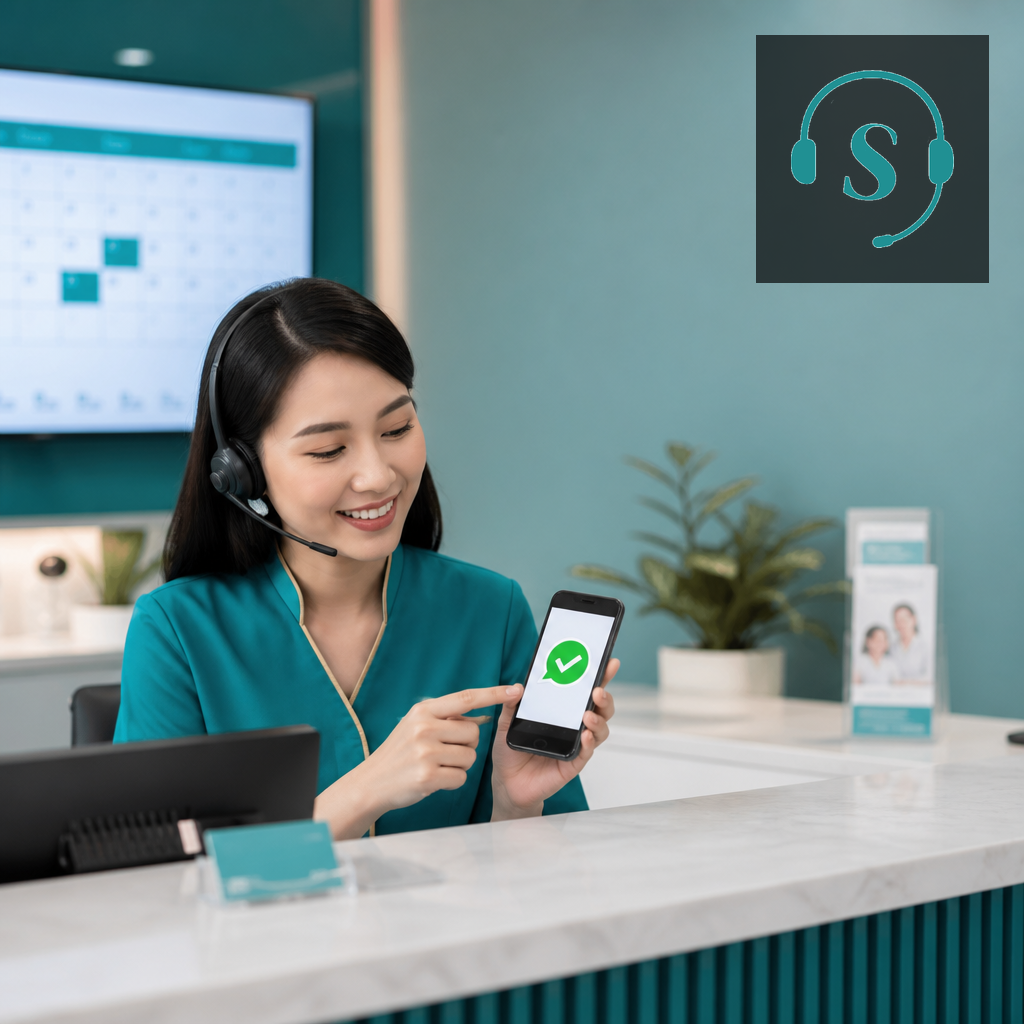
Quick answer: Voice confirmation converts; WhatsApp catches the rest. Suarify dials T-24h / T-2h, confirms or reschedules on the call, and if nobody picks up — WhatsApp yes/no updates your calendar + CRM automatically.
Practical guide for Malaysian teams wiring Voice AI + WhatsApp + CRM — not theory.
Table of contents
1. Why this works in Malaysia
- SMS OTP-style reminders get ignored; WA read rates stay high in MY.
- Voice alone fails when phones are on DND at work.
- No-shows waste chairs, rooms, and technician truck rolls.
2. Step-by-step workflow
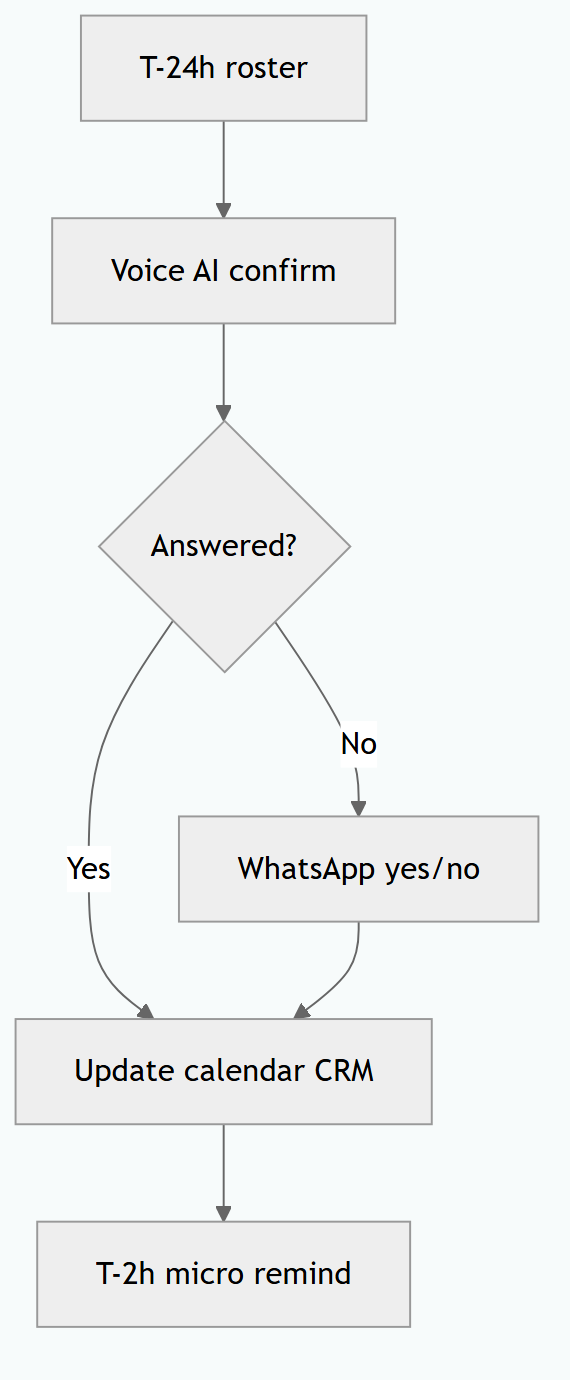
- Roster export / calendar webhook → outbound confirm campaign.
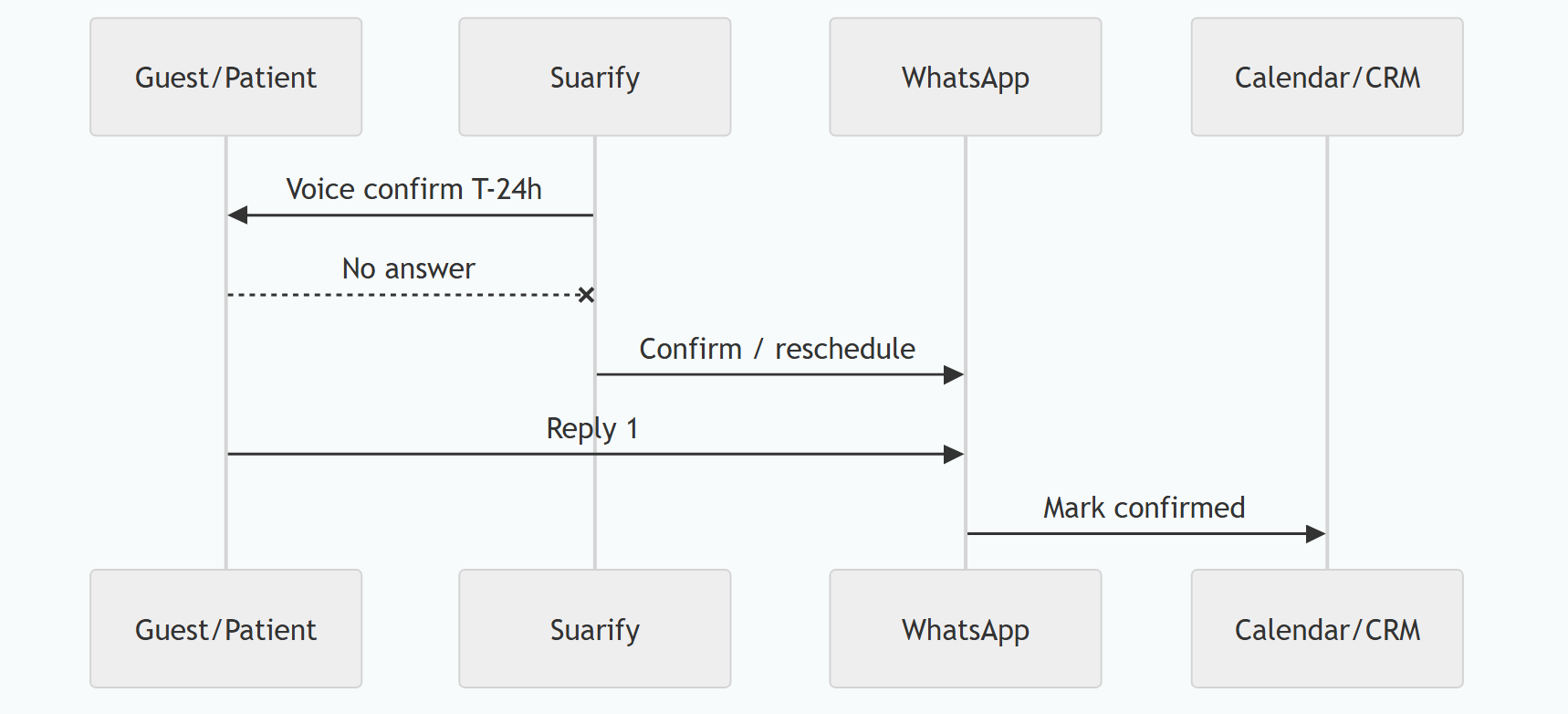
- Voice AI: confirm time, location, prep rules; offer reschedule.
- Outcomes: Confirmed / Reschedule / Cancel → write calendar + CRM.
- If no-answer / busy → WhatsApp template with Confirm / Reschedule links or reply keywords.
- WA reply maps to same CRM fields; optional second voice attempt next morning.
- Day-of T-2h micro-remind (WA-only is fine if already confirmed).
3. Integrations checklist
| Layer | What to connect |
|---|---|
| Calendar / PMS | Google Calendar, Outlook, clinic HIS, hotel PMS, Calendly-class |
| CRM (examples) | HubSpot meetings/activities, Bitrix24 activities, Zoho, Salesforce tasks, Twenty CRM (Suite Twenty) tasks/notes, Pipedrive activities, custom booking DB |
| Rule of thumb | API or webhook = writable. Confirm / reschedule / cancel from voice or WhatsApp updates the same fields the front desk already trusts |
| Template + session message via Suarify connection | |
| Voice tools | Outbound campaign + avr_whatsapp_send_message + hangup |
Deep dive on tools: Suarify function calling.
4. Sample WhatsApp copy
Reminder: appointment *{datetime}* at {place}.
Reply *1* CONFIRM · *2* RESCHEDULE · *3* CANCEL
Prep: {prep_note}
Keep it short, PDPA-aware (don’t dump IC/policy numbers in the first blast), and brand-signed.
FAQ
How do clinics and salons cut no-shows without nagging people?
Call to confirm about a day ahead (voice feels personal). If they do not pick up, send a WhatsApp with confirm / reschedule / cancel. Write the answer back into the calendar so the chair is not held for a ghost.
Why not WhatsApp only?
Many people skim chats; a short voice confirm still converts better for high-value visits. WhatsApp is the safety net for DND / meeting mode.
When should the reminder go out?
A common pattern is voice at T-24h, WhatsApp if no answer, then a light WhatsApp nudge at T-2h only if already confirmed.
Do I need official WhatsApp Business API?
For reliable templates and scale, yes (WABA). Suarify uses your active WhatsApp connection — align with your provider’s rules.
Does this update our calendar or CRM automatically?
Yes — map Confirmed / Reschedule / Cancel from voice or WhatsApp replies into Google Calendar, clinic HIS, or your CRM activities (HubSpot, Bitrix, Twenty CRM / Suite Twenty, Zoho, etc.) so the front desk is not retyping. If the system has an API, it can receive the update.
Related: Hotel PMS receptionist · Speed-to-lead · Healthcare scheduling ROI