

🚀 API Integration Guide
Integrating Suarify AI into your application is effortless — no complex trunk setup, no heavy configuration. With just a few clicks, you can generate your API key, make your first outbound AI-powered call, and start managing inbound agent settings instantly.
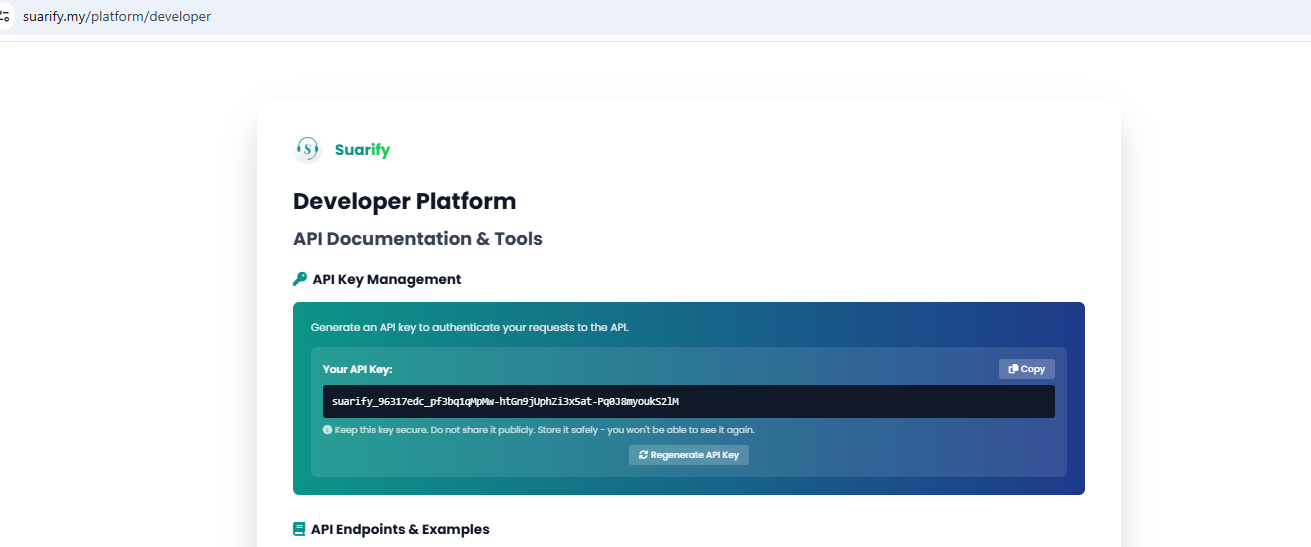
🔑 Get Your API Key
- Log in to the Suarify Developer Portal: suarify.my/platform/developer
- Generate your API key in seconds — no setup required.
Your API key is the gateway to Suarify’s voice AI integration.
📞 Make Your First Outbound Call
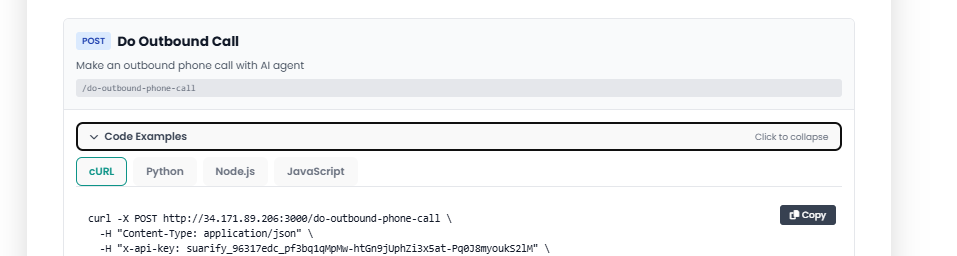
With your API key ready, you can immediately trigger real outbound calls using our AI agents.
No manual trunk setup, no infrastructure headaches — just plug in your key and start calling.
⚙️ Configure Inbound Agents
Beyond outbound calls, Suarify makes it simple to:
– Configure inbound AI agent settings
– Route calls intelligently with zero manual trunk setup
– Monitor inbound call logs and outbound call logs in real time
📊 Why Developers Love Suarify
- Immediate integration — start calling within minutes
- Zero infrastructure setup — trunking, routing, and scaling handled for you
- Full visibility — access detailed call logs for both inbound and outbound traffic
- Flexible configuration — tailor AI agents to your workflows
🚀 Next Steps
- Explore the full API documentation in the Developer Portal