
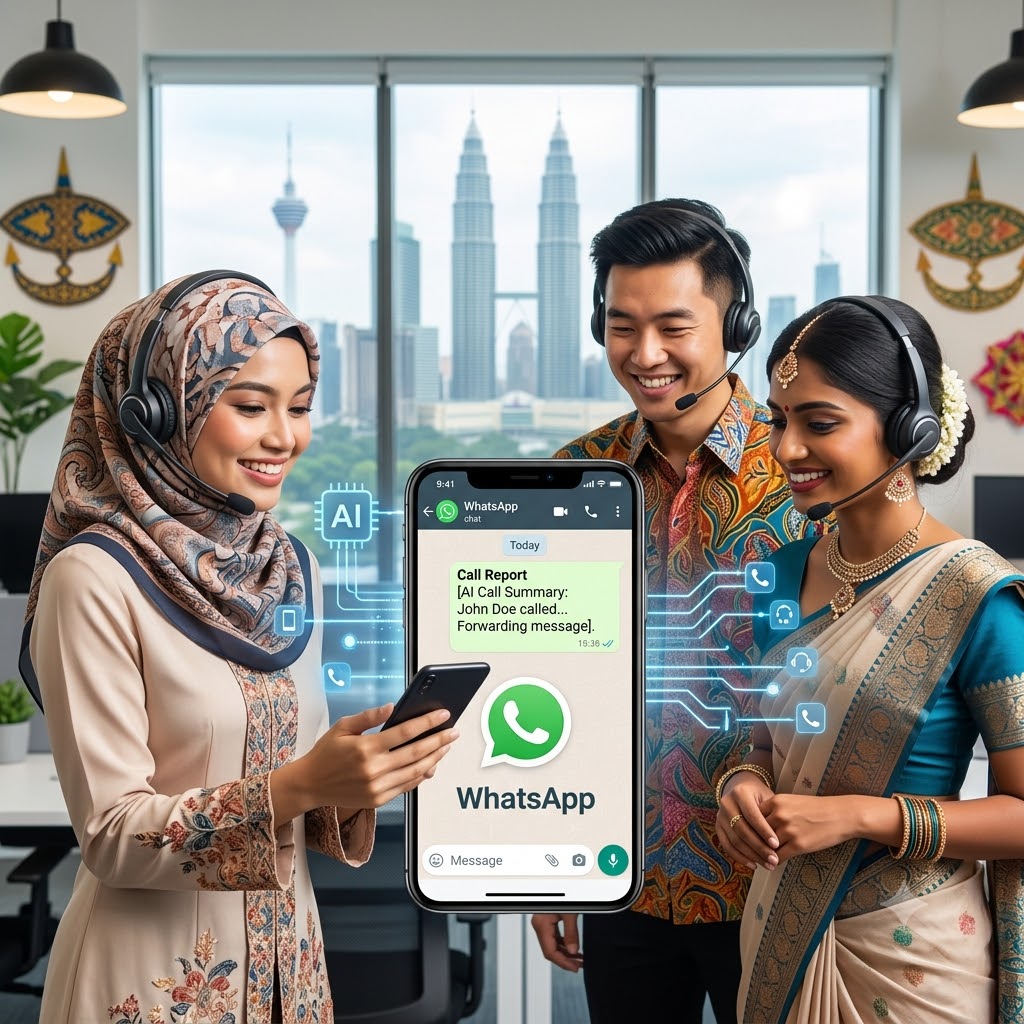
TL;DR: AI voice agent receptionist in under 10 minutes to automatically answer hotline calls and forward call summaries straight to your team’s WhatsApp.
What you will accomplish
How It Works: Instant Call-to-WhatsApp Forwarding
Automatic Message Forwarding: Once the call ends, the AI automatically extracts the call summary, caller ID, and transcript, then forwards the details directly to your team via WhatsApp.
Inbound Call Received: A customer calls your office hotline, and your AI receptionist answers instantly—24/7, with zero hold times.
Why Build This and Problem Statement?
- High Overhead Costs: Hiring a full-time staff member just to manage phone calls drains resources.
- Mobile-First Team: Most of your staff work out in the field, in meetings, or away from physical desk phones.
- Instant Visibility: Forwarding call summaries directly to WhatsApp ensures your team can review, triage, and respond to caller messages right from their pockets.
Prerequisite
Before getting started, make sure you have the following set up:
Evolution API (Connected to your WhatsApp instance)
n8n (Self-hosted or Cloud instance)
Demo – AI Agent Receptionist Whatsapp
https://www.instagram.com/p/Dbm_gHJx1nU
How to guide
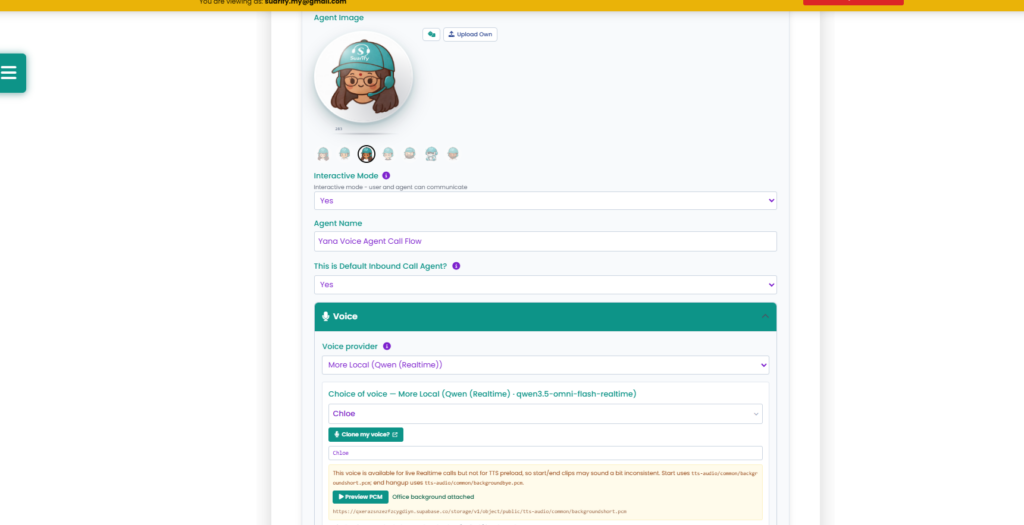
- Set up your AI voice agent in Suarify and select Inbound Agent as the agent type.
2. Connect the Post-Call Webhook
Paste your webhook URL into the post-conversation settings. Here, we use our WhatsApp API endpoint so the AI agent instantly forwards the transcript and call details right after hanging up.
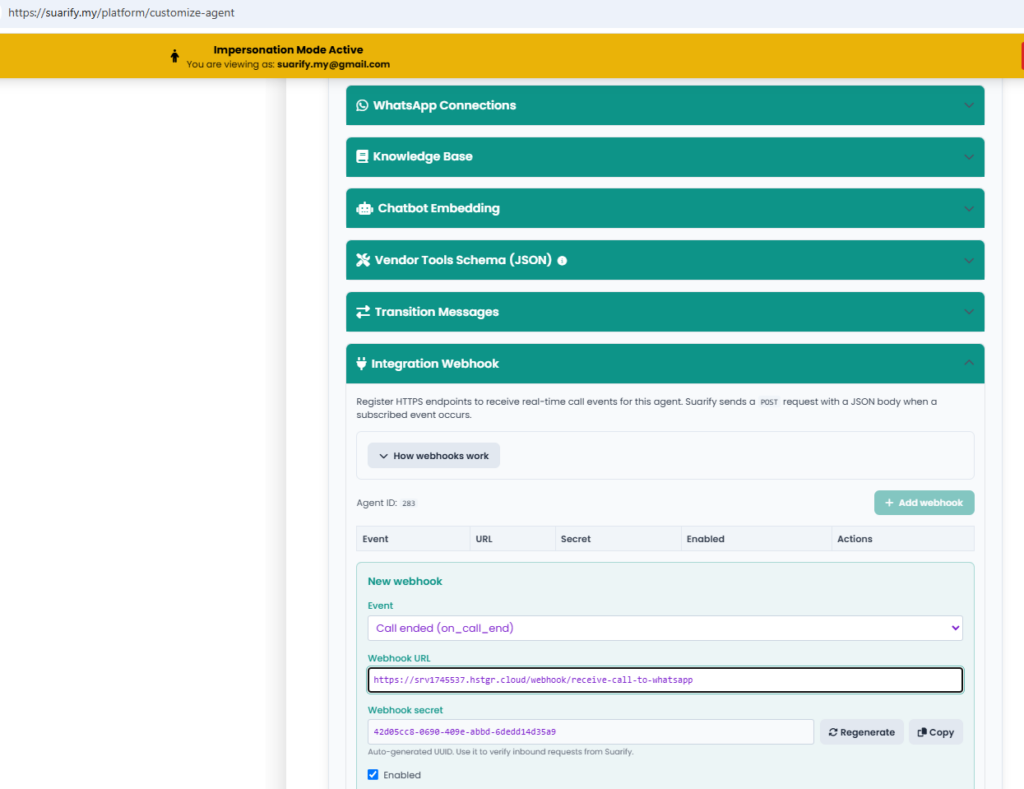
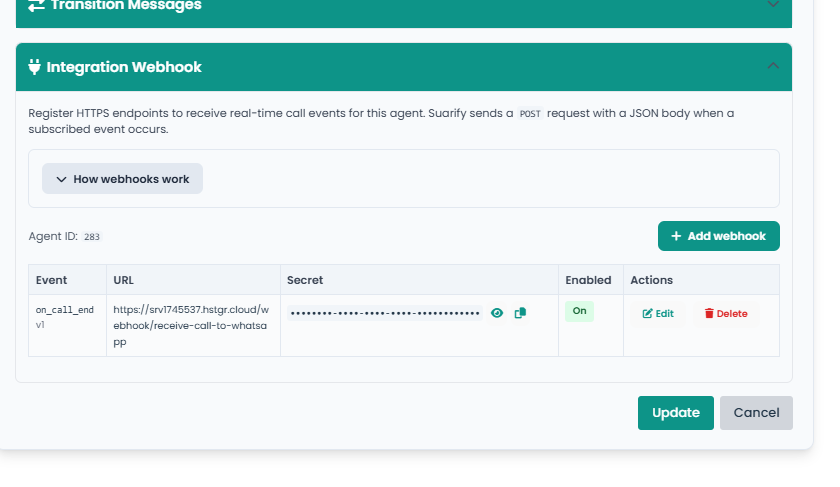
Here we are pointing to our n8n api
,,,AND We are DONE!~!!
Setting up n8n api
- Just copy paste the code below into your n8n workflow
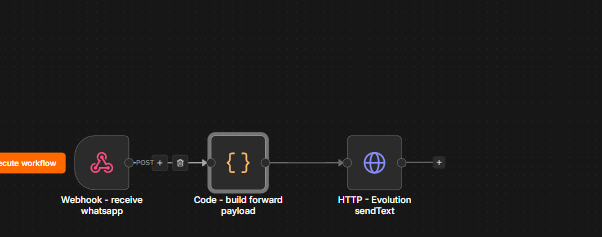
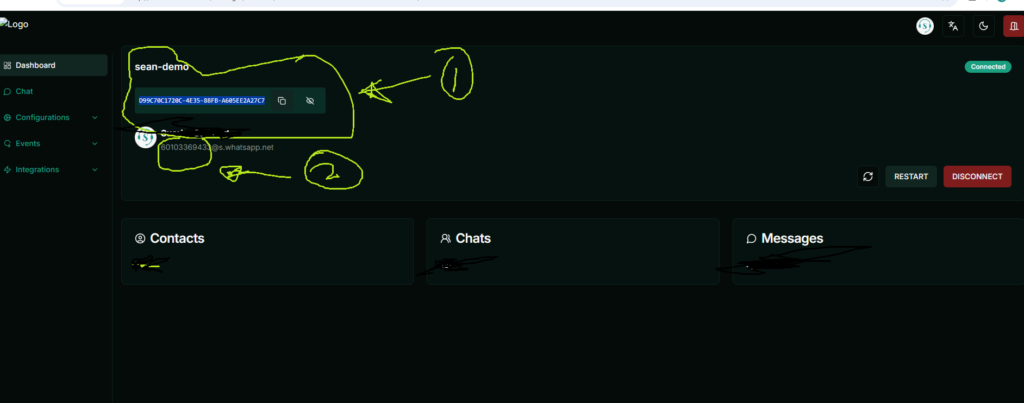
2. Then change the parameter with your target phone number, api key and base url (how to get it ? see below Setting up evo whatsapp api)
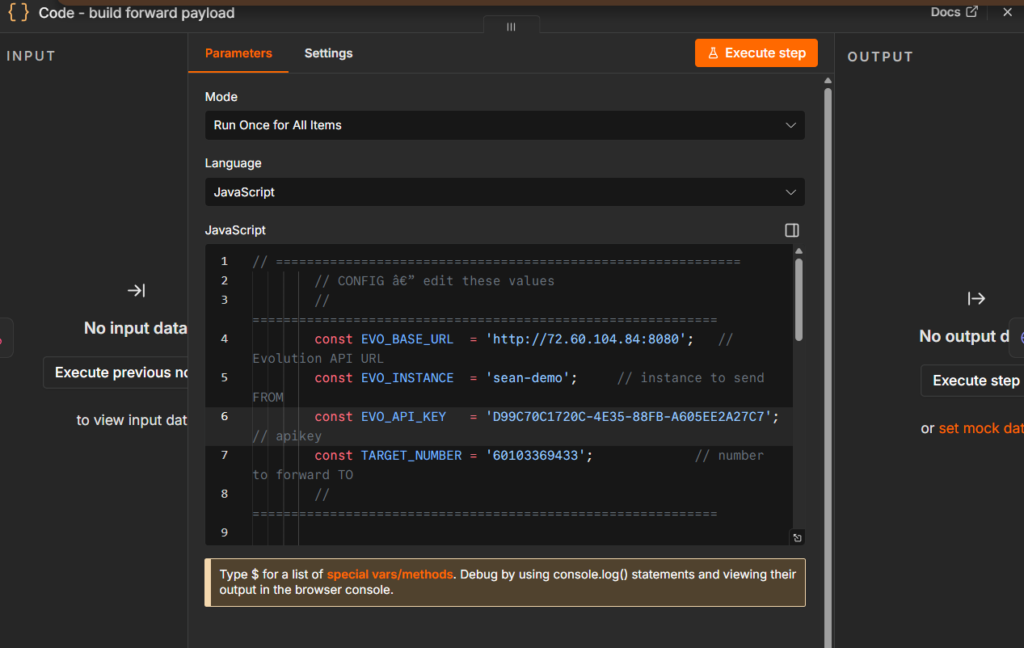
n8n json config ( you may just copy and paste)
{
  "nodes": [
    {
      "parameters": {
        "httpMethod": "POST",
        "path": "receive-call-to-whatsapp",
        "options": {
          "allowedOrigins": "*"
        }
      },
      "id": "16a0b8a5-0eff-4f44-9b3f-40ebc4a2f1dd",
      "name": "Webhook - receive whatsapp",
      "type": "n8n-nodes-base.webhook",
      "typeVersion": 2,
      "position": [
        0,
        0
      ],
      "webhookId": "manusia-receive-whatsapp"
    },
    {
      "parameters": {
        "jsCode": "// ============================================================\n        // CONFIG — edit these values\n        // ============================================================\n        const EVO_BASE_URL  = 'http://72.60.104.84:8080';\n        const EVO_INSTANCE  = 'sean-demo';\n        const EVO_API_KEY   = 'D99C70C1720C-4E35-88FB-A605EE2A27C7';\n        const TARGET_NUMBER = '60103369433';\n        // ============================================================\n\n        const webhook = $input.first().json;\n        const body = webhook.body ?? {};\n\n        function pick(keys) {\n          for (const k of keys) {\n            const v = body[k];\n            if (v != null && String(v).trim() !== '') return v;\n          }\n          return '';\n        }\n\n        const conversation = pick(['conversation_logs', 'conversationLogs', 'conversation', 'transcript', 'logs']);\n        const phone        = pick(['phone', 'phone_number', 'phoneNumber', 'from', 'caller']);\n        const recordingUrl = pick(['recording_url', 'recordingUrl', 'audio_url', 'recording']);\n        const duration     = pick(['duration_seconds', 'durationSeconds', 'duration', 'call_duration']);\n\n        const parts = [];\n        parts.push('*Call Report*');\n        if (phone) parts.push(`Phone: ${phone}`);\n        if (duration) parts.push(`Duration: ${duration} seconds`);\n        if (recordingUrl) parts.push(`Recording: ${recordingUrl}`);\n        if (conversation) { parts.push('Conversation:'); parts.push(String(conversation)); }\n\n        const text = parts.join('\\n').slice(0, 4096);\n\n        return [{\n          json: {\n            url: `${EVO_BASE_URL}/message/sendText/${EVO_INSTANCE}`,\n            apikey: EVO_API_KEY,\n            jsonBody: {\n              number: TARGET_NUMBER,\n              text,\n              delay: 1200,\n              linkPreview: true\n            }\n          }\n        }];"
      },
      "id": "97297cb4-b621-4029-b937-6f924d53170e",
      "name": "Code - build forward payload",
      "type": "n8n-nodes-base.code",
      "typeVersion": 2,
      "position": [
        240,
        0
      ]
    },
    {
      "parameters": {
        "method": "POST",
        "url": "={{ $json.url }}",
        "sendHeaders": true,
        "headerParameters": {
          "parameters": [
            {
              "name": "apikey",
              "value": "={{ $json.apikey }}"
            }
          ]
        },
        "sendBody": true,
        "specifyBody": "json",
        "jsonBody": "={{ JSON.stringify($json.jsonBody) }}",
        "options": {
          "batching": {
            "batch": {
              "batchSize": 1,
              "batchInterval": 0
            }
          },
          "allowUnauthorizedCerts": true,
          "redirect": {},
          "response": {
            "response": {
              "fullResponse": false,
              "neverError": false,
              "responseFormat": "autodetect"
            }
          },
          "timeout": 30000
        }
      },
      "id": "2a890019-a3c7-4095-a1fb-fe9ac097b281",
      "name": "HTTP - Evolution sendText",
      "type": "n8n-nodes-base.httpRequest",
      "typeVersion": 4.2,
      "position": [
        480,
        0
      ]
    }
  ],
  "connections": {
    "Webhook - receive whatsapp": {
      "main": [
        [
          {
            "node": "Code - build forward payload",
            "type": "main",
            "index": 0
          }
        ]
      ]
    },
    "Code - build forward payload": {
      "main": [
        [
          {
            "node": "HTTP - Evolution sendText",
            "type": "main",
            "index": 0
          }
        ]
      ]
    }
  },
  "pinData": {},
  "meta": {
    "instanceId": "a7c7f6a3a6ef6ff138c0edbc370be242842f51275bf8ffb030635ee1b4f4898d"
  }
}
Option1 :Setting up Whatsapp api for free via Whatsapp API (option1)
- Press new instance
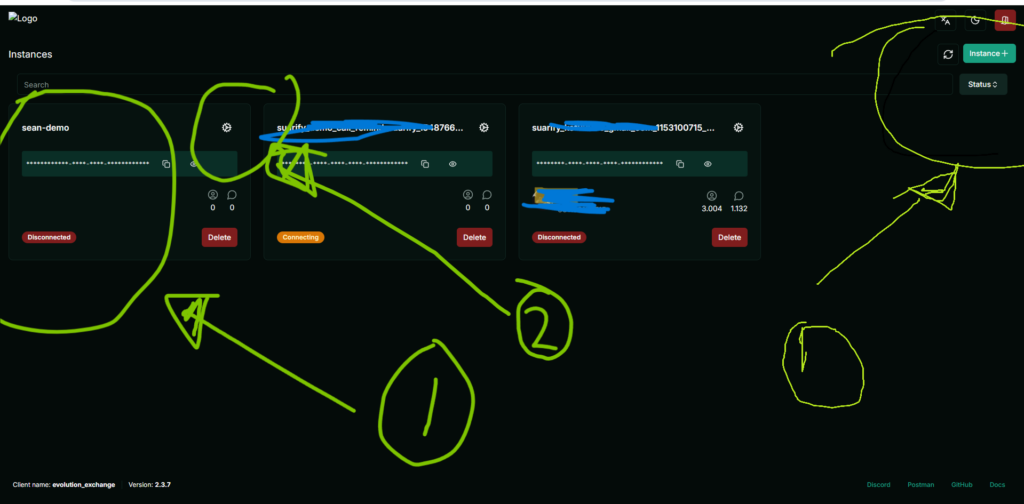
2. Then setup and key your whatsapp phone to pair for evolution api whatsapp
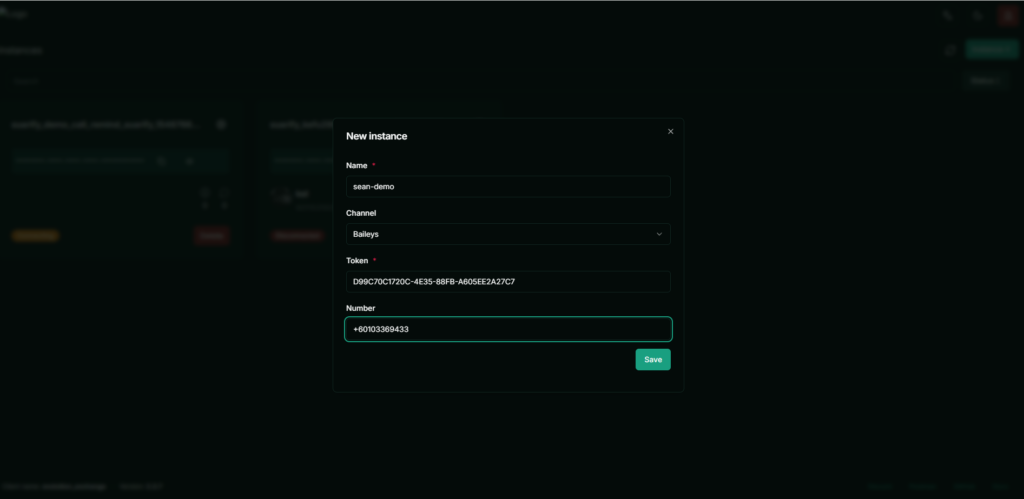
3. Once you created, click on the settings (gear icon ) as shown number 2 step above. You will see detail instance below of your device.
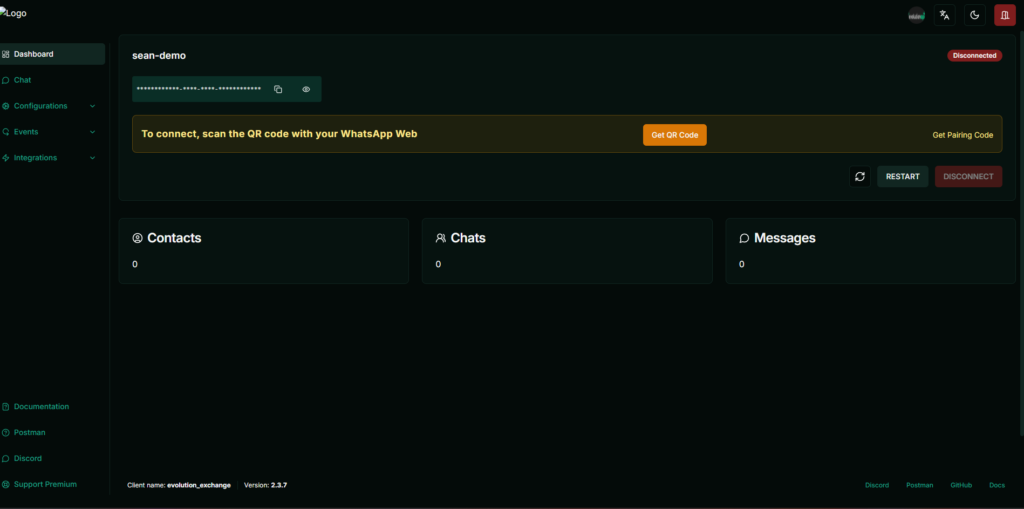
4. Press Get QR code ( then pair your device)
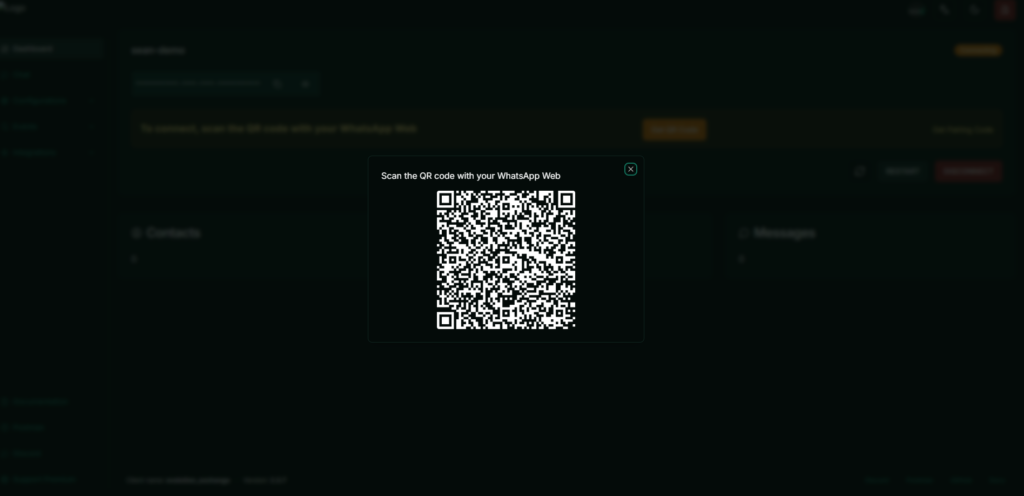
5. Now you will use the secret to paste into the above n8n api config
Option 2: Setting up Whatsapp api for free via Suarify Portal or API(option2)
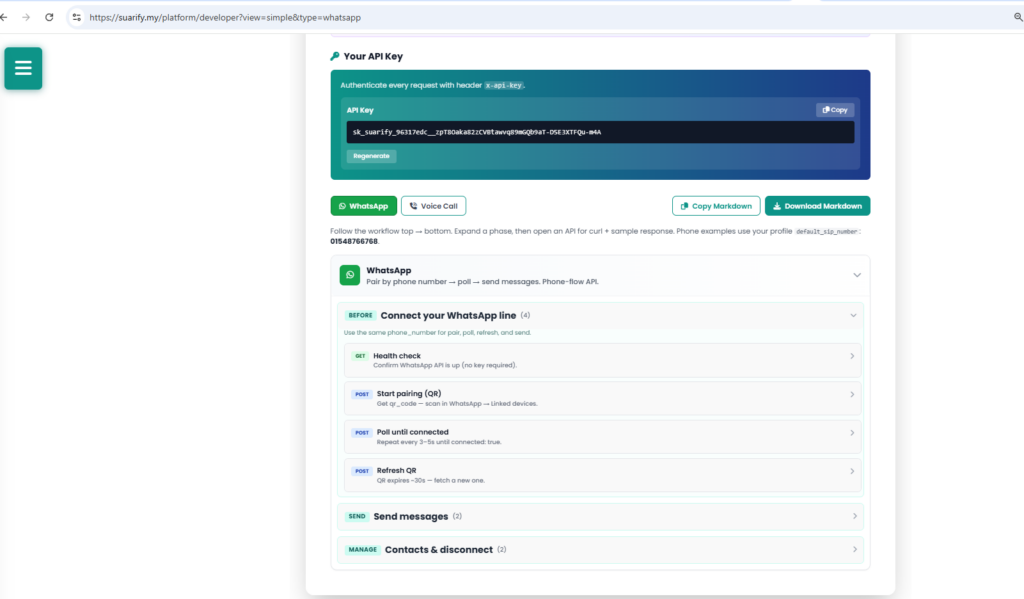
- Go to whatsapp connection and do connect with pair, you will be able to get connection information
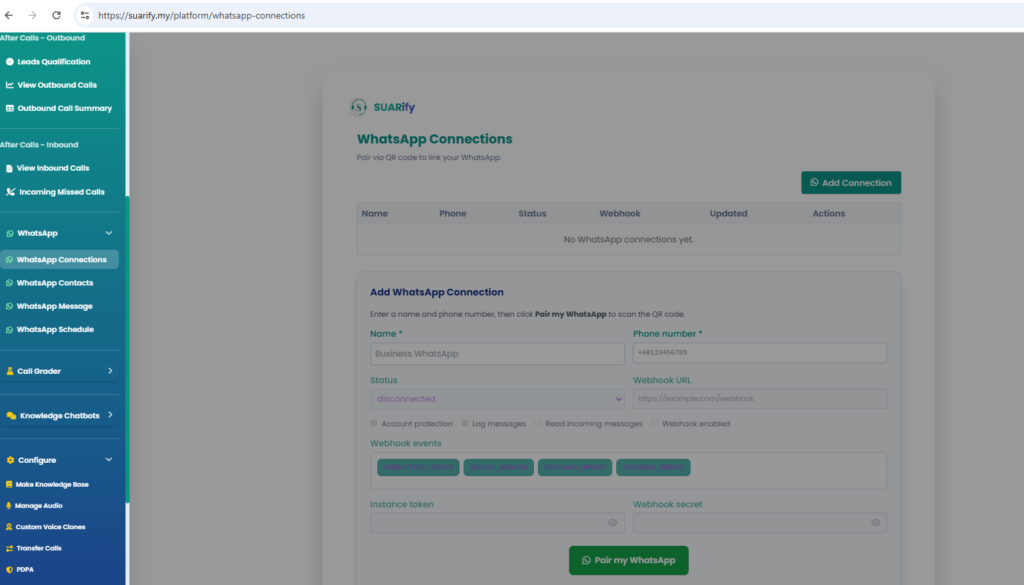
2. Go to Suarify Developer api. connection and do connect with pair, you will be able to get connection information